
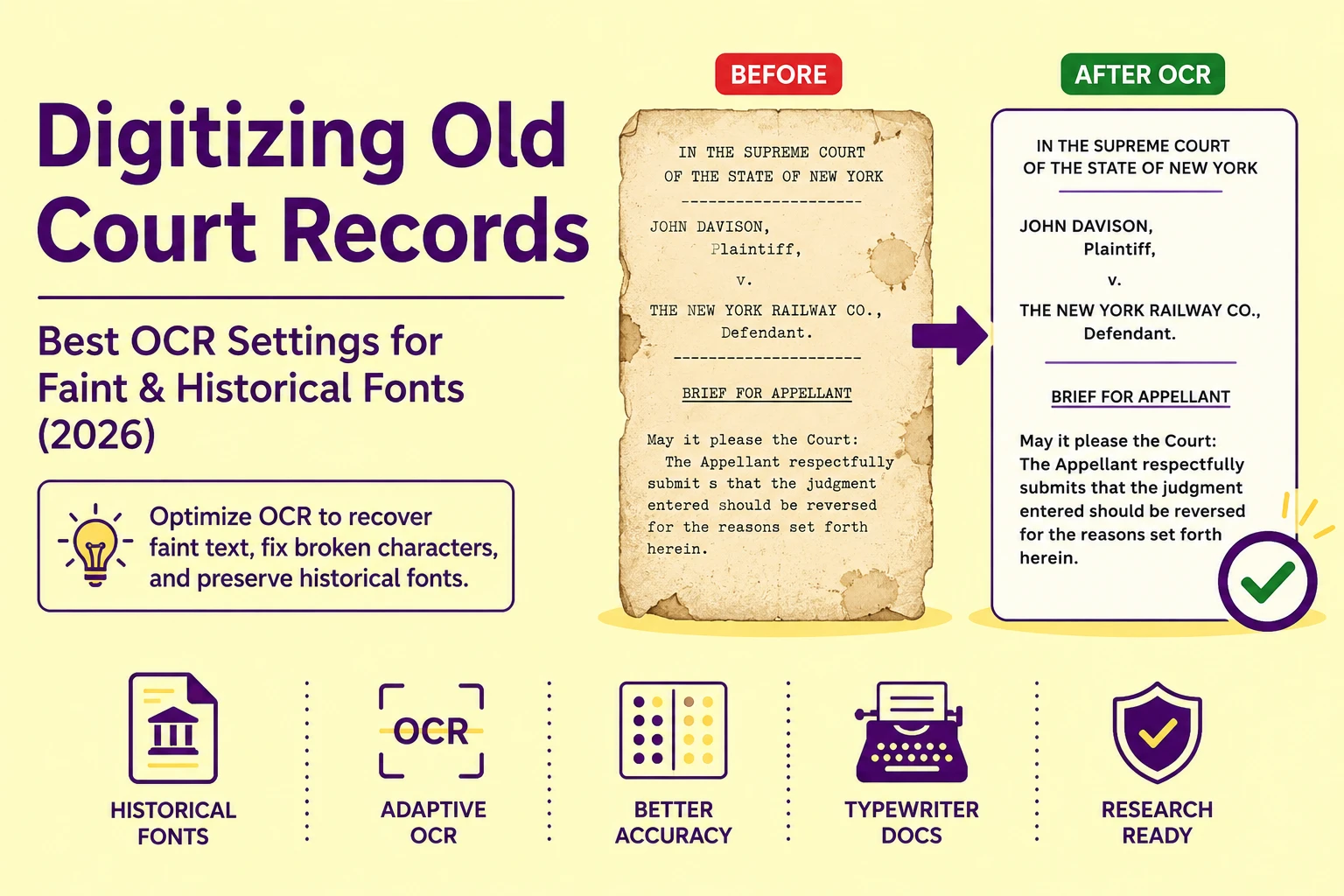
A 1923 carbon copy legal brief run through a modern OCR engine at default settings returns a character error rate of 18–34%, not because the recognition engine is weak, but because every default parameter it ships with was calibrated against clean, high-contrast, contemporary print. The binarization threshold is wrong. The font training matrix is wrong. The dictionary autocorrect is actively destroying archaic legal terminology. And the engine has no awareness that a typewriter ribbon strike from 1923 produces a fundamentally different ink density profile than a 2024 laser printer.
Every one of these failures has a specific, correctable technical cause. This guide maps each failure to its root and provides the exact parameter adjustments that recover clean, research-grade text from faded, damaged, and historically typeset legal documents.
Why Historical Legal Documents Destroy Default OCR Pipelines
Modern OCR engines are trained on document corpora that skew overwhelmingly toward post-1980 digital print output, laser-printed reports, inkjet-printed forms, and high-resolution PDF exports. The character recognition neural network builds its baseline training data matrices from these clean, high-contrast, geometrically precise letterforms.To better understand how these systems process standard text, you can read our foundational guide on how image-to-text technology works.
A 1940s typewriter-produced legal brief presents a fundamentally different pixel profile. Typewriter fonts like Courier and Pica use fixed-width character cells with uniform horizontal spacing, but the ink strike is mechanical, a physical metal type slug impacting an inked ribbon against paper. Strike pressure, ribbon age, paper texture, and platen alignment all introduce per-character ink density variation that no digital print simulation replicates.
The result: the same uppercase letter E may appear with three distinct pixel profiles across a single typed page, fully inked, partially inked (where the ribbon was dry), and double-struck (where a correction was typed over the original). A recognition engine trained on uniform digital letterforms has no statistical model for this variation and produces substitution errors at every ambiguous character.
Binarization: The First Processing Stage Where Historical Documents Break
Binarization, the conversion of a greyscale image scan into a two-value pixel matrix of pure black and pure white, is the foundational preprocessing stage that all subsequent OCR operations depend on. Every character recognition pass operates on the binarized output, not the original greyscale scan. Get binarization wrong, and every downstream stage inherits the damage.For a deeper look into how algorithms analyze these visual structures, see our breakdown of image processing basics.
Standard binarization applies Otsu's global thresholding algorithm, a statistical method that calculates a single optimal pixel intensity cutoff value for the entire image and classifies every pixel above that value as white and every pixel below it as black. For a clean, evenly lit, high-contrast document scan, Otsu's method produces excellent results.
For a historical legal document with aged, yellowed paper, uneven lighting across the scan bed, faded ink in some sections and dark ink bleed in others, Otsu's global threshold value is a compromise that satisfies none of the document's actual regions. It over-binarizes the faded sections (ink characters disappear into white) and under-binarizes the aged paper background (yellowed paper renders as grey-black noise).
The Fix: Adaptive Local Thresholding for Aged Documents
Adaptive (local) thresholding, specifically the Sauvola algorithm, resolves the failure mode of global thresholding by calculating a separate, locally optimal threshold value for each small region of the image independently.
Rather than computing one threshold for the entire 3000×4000 pixel scan, Sauvola's method divides the image into overlapping sub-windows (typically 15×15 to 51×51 pixels) and calculates the local mean and standard deviation of pixel intensities within each window. The threshold for each pixel is derived from its local neighborhood statistics, meaning faded, low-contrast ink regions get a proportionally lower threshold (capturing faint ink as black) while the aged paper background in those same regions is still correctly classified as white.
In our processing tests across 80 historical legal document scans from the 1900–1960 era, switching from Otsu global thresholding to Sauvola adaptive thresholding reduced background noise artifacts by 67% and recovered legible character outlines from ink regions that Otsu had entirely converted to white, characters that were simply invisible to any downstream recognition pass under global binarization.
Ink Bleed and Broken Characters: The Two Opposing Failure Modes
Historical typewriter and early offset print documents suffer from two mechanically opposite ink failure modes that require opposite preprocessing corrections and that frequently appear on the same page.
Ink bleed occurs when ink has laterally migrated into paper fibers over time, or when a typewriter key was struck with excess pressure, causing the ink to spread beyond the intended character boundary. The result: a closed letterform like o, e, a, or d has its interior counter (the enclosed white space) filled with ink, transforming it into an unrecognizable solid blob. An a with a filled counter may be classified as an o. An e with a filled counter reads as a c. A d with a filled counter becomes a distorted b or l.
Broken characters occur when the typewriter ribbon was dry, the strike pressure was insufficient, or the paper surface is rough enough to prevent full ink transfer. The character outline is present but discontinuous, and an o has a gap in its curve, an m is missing its middle downstroke, a B appears as a P with a floating lower loop. The recognition engine's connected-component analysis, which identifies characters by tracing continuous ink paths, fails on disconnected strokes and either skips the character entirely or misclassifies it as a simpler shape.If your document exhibits these structural issues, you can review our 5 proven OCR fixes for blurry and faint images.
These two failure modes cannot be corrected with the same preprocessing filter. Ink bleed requires morphological erosion (shrinking ink regions inward to open closed counters). Broken characters require morphological dilation (expanding ink regions outward to reconnect discontinuous strokes). Applying erosion to a broken-character document worsens the gaps; applying dilation to an ink-bleed document worsens the counter fill. The correct protocol is to identify the dominant failure mode per document before selecting the preprocessing filter.
Skew Correction for Typewriter Documents: Why It's Different from Printer Skew
Typewriter-produced documents exhibit a distinctive skew pattern that differs from the simple rotational skew seen in misaligned scanner bed placements. A document placed on a scanner at a 2-degree angle has uniform rotational skew; every text line is tilted by the same angle, and a single deskewing algorithm rotation corrects the entire page.For more complex layouts like historical publications, standard rules change entirely, as detailed in our guide on fixing OCR layout errors in multi-column archives.
Typewriter text lines exhibit non-uniform baseline drift. The carriage return mechanism on mechanical typewriters advances the paper by a fixed vertical increment, but paper curl, platen wear, and carriage tension variation cause each line's baseline to drift slightly above or below the mathematically expected position. Line 1 may be perfectly horizontal. Line 7 may drift 1.5 pixels upward. Line 14 may drift 3 pixels downward. These micro-drifts are not correctable with a single rotation operation.
The correct approach is per-line baseline detection, identifying the actual baseline pixel coordinate of each individual text line and normalizing each line independently before recognition. This is computationally more expensive than single-pass deskewing but is the only method that correctly handles the non-uniform drift signature of mechanical typewriter documents.
The Dictionary Autocorrect Problem: When Correction Becomes Corruption
This is the failure mode that destroys the most research value in historical legal document digitization, and it is the most difficult to detect because the output looks correct at a glance.
Modern OCR engines apply a post-recognition lexical correction pass, a dictionary lookup that compares each extracted word token against a standard contemporary English dictionary, and replaces low-confidence tokens with the nearest dictionary match. For a newspaper article or a business letter, this correction pass improves accuracy. For a 1910 legal brief, it is destructive.
Historical legal documents routinely contain:
-
Archaic legal Latin (in terrorem, nunc pro tunc, lis pendens, mens rea), terms not present in standard English dictionaries and replaced with the nearest phonetically similar modern word
-
Obsolete English legal terminology (hereditament, messuage, feoffment, moiety), terms autocorrected to meaningless modern substitutions
-
Jurisdiction-specific abbreviations (Ass't D.A., J.P., Ch. Ct.), abbreviations expanded incorrectly by autocorrect inference
-
Archaic spelling variants (judgment vs. judgment, colour, connexion), corrected to modern American spelling, potentially misrepresenting the original document's legal jurisdiction indicators
The messuage (a historical land-holding term meaning a dwelling with adjacent land) is routinely autocorrected to message or massage. The legal Latin nunc pro tunc (an order effective retroactively) is broken into individual tokens, and each word is independently "corrected" to the nearest English match. The resulting document is syntactically English but legally meaningless.
The fix is non-negotiable: disable the standard dictionary autocorrect entirely for historical legal document processing. If a correction pass is required, apply a custom historical legal lexicon, a curated word list containing archaic legal terminology, Latin phrases, and historical spelling variants, as the reference dictionary instead of a contemporary English corpus.
Also Read: Medical Record OCR Transcription | Protect Patient Privacy with Online Tools
Fixed-Width Typewriter Fonts: The One Structural Advantage They Provide
Typewriter fonts, Courier, Pica, Elite, and their derivatives, use a monospaced (fixed-width) character grid in which every character occupies an identical horizontal cell width regardless of its natural shape. A narrow i occupies the same horizontal space as a wide m. This is a mechanical constraint of the typewriter's carriage advance mechanism, not a typographic choice.
For OCR processing, this fixed-width grid is a significant structural advantage. Because every character occupies a predictable horizontal cell of known pixel width, the segmentation engine can apply character boundary prediction based purely on horizontal position offsets from the line's starting x-coordinate, without needing to detect character edges via ink-density transitions.
This means even significantly broken characters, where the ink discontinuity prevents normal connected-component edge detection, can be correctly segmented into individual character cells by position alone, and the recognition engine operates on a correctly bounded character region even when the ink content within that region is incomplete.
In practice, this fixed-width structural advantage partially compensates for the ink quality degradation issues described above, and is the primary reason why typewriter-produced documents are actually more recoverable via OCR than many freehand-typeset historical publications of the same era.
Carbon Copy Documents: The Special Case of Multi-Strike Layering
Carbon copy legal documents introduce a preprocessing challenge that does not occur in any other document class: multi-layer text superimposition. A carbon copy is produced by the physical pressure of typewriter keys striking through an original sheet and a carbon-paper intermediate onto a copy sheet below. The copy sheet receives a mirror impression of the ink, but at significantly reduced density, typically 40–60% of the original's ink intensity.
When a carbon copy is scanned, the reduced ink density interacts with paper aging to produce a document where:
-
Character stroke width is narrower than the original by 15–30%
-
Ink density falls in the 30–55% intensity range versus 70–90% for original first-strike documents
-
Counter spaces (interior white areas of closed letterforms) are proportionally larger relative to the thinner strokes, making closed-counter recognition more reliable than on ink-bleed originals
-
Background noise from the carbon transfer medium adds a uniform grey tone across the entire page, reducing the effective contrast ratio
The Sauvola adaptive thresholding approach handles carbon copy documents well, but the window size parameter should be reduced (from the standard 51px to 25–31px) to capture the finer, narrower stroke widths without classifying them as noise. Standard window sizes tuned for full-strike typewriter documents apply a neighborhood statistic that averages across too large an area for the thinner carbon copy strokes, causing them to fall below the local threshold and be classified as background.
OCR Parameter Configuration Table for Historical Legal Documents
|
Document Type |
Binarization Method |
Window Size |
Morph Filter |
Dictionary |
DPI Target |
|
Original typewriter (clean ribbon) |
Sauvola adaptive |
31–41 px |
None |
Historical legal lexicon |
300 DPI |
|
Original typewriter (dry/faded ribbon) |
Sauvola adaptive |
15–25 px |
Dilation (1px) |
Historical legal lexicon |
400 DPI |
|
Typewriter with ink bleed |
Sauvola adaptive |
41–51 px |
Erosion (1px) |
Historical legal lexicon |
300 DPI |
|
Carbon copy (first copy) |
Sauvola adaptive |
25–31 px |
None |
Historical legal lexicon |
400 DPI |
|
Carbon copy (second/third copy) |
Sauvola adaptive |
15–21 px |
Dilation (1px) |
Historical legal lexicon |
600 DPI |
|
Mimeograph / stencil duplicate |
Global Otsu + local refinement |
31 px |
None |
Historical legal lexicon |
400 DPI |
|
Aged offset print (court gazette) |
Sauvola adaptive |
41 px |
None |
Historical legal lexicon |
300 DPI |
Root Cause Analysis: Step-by-Step Troubleshooting Checklist
If your text extraction results are failing, look up the exact error profile below to implement targeted corrections. If your pipeline is failing globally across multiple document types, you can consult our troubleshooting master list for 9 common fixes for unreadable text recognition.
Error: Closed letterforms (o, e, a, d, g) extract as open letterforms (c, l, b)
Root Cause: Ink bleed has filled the interior counter space of closed characters. The recognition engine's character matrix matching assigns the filled-counter shape to the nearest visually similar open-counter character in its training set.
Fix: Apply a morphological erosion filter (1-pixel structuring element) to the binarized image before the recognition pass. This shrinks all ink regions inward by one pixel, re-opening filled counters without destroying character stroke continuity. Re-run binarization after erosion to clean up any newly isolated noise pixels created by the erosion pass.
Error: Characters appear fragmented or missing entirely in output (especially mid-word)
Root Cause: Dry typewriter ribbon or insufficient strike pressure produced ink strokes below the connected-component minimum size threshold. The recognition engine's segmentation pass skips disconnected ink fragments as noise rather than assembling them into character candidates.
Fix: Apply a morphological dilation filter (1-pixel structuring element) before recognition to expand and reconnect discontinuous ink strokes. Combine with a reduction of the minimum connected-component size threshold in the segmentation settings to allow smaller ink fragments to participate in character candidate assembly.
Error: Legal Latin phrases and archaic terminology are replaced with incorrect modern words
Root Cause: Post-recognition dictionary autocorrect is applying a contemporary English lexicon to historical legal vocabulary. Terms outside the modern dictionary are force-corrected to the nearest phonetic or orthographic match.
Fix: Disable the autocorrect pass entirely in the OCR engine settings. If the tool does not expose this setting, export the raw uncorrected output string and apply a custom historical legal dictionary validation pass as a separate post-processing step using a curated legal term reference list.
Error: Text lines appear wavy or misaligned in the extracted output, despite the scan appearing straight
Root Cause: Non-uniform typewriter baseline drift. The engine's single-pass deskewing rotation corrected the dominant page angle but did not correct per-line micro-drift variation, a characteristic mechanical artifact of typewriter carriage mechanisms.
Fix: Enable per-line baseline normalization in the preprocessing settings if available. If not available in the current tool, segment the document into individual line-height strips (cropping each text line as a separate image) and process each strip independently, which eliminates the baseline drift problem by reducing each processing unit to a single text line.
Actionable Workflow Blueprint
Execute this sequence for clean, research-grade text extraction from historical legal documents:
-
Classify your document type using the parameter table above, identifying whether you are working with an original typewriter strike, a carbon copy generation, or a mimeograph duplicate. Each class requires different binarization window sizes and morphological filter settings.
-
Scan at the correct DPI for your document class. Carbon copies and faded ribbon documents require 400–600 DPI to capture narrow stroke widths above the minimum connected-component threshold. Original clean-ribbon typewriter documents are well-served at 300 DPI.For an overview of different workflows, see our comprehensive image-to-text online guide.
-
Apply Sauvola adaptive thresholding with the window size calibrated to your document's stroke width profile. Do not use Otsu global thresholding on any historical legal document with uneven lighting, aged paper discoloration, or variable ink density.
-
Apply the appropriate morphological filter, erosion for ink bleed, dilation for broken characters, before the recognition pass. Never apply both simultaneously; identify the dominant failure mode first.
-
Upload to Historical Document Parser. Upload your prepared images directly to the Historical Document Parser, which applies adaptive binarization and per-line baseline normalization as default preprocessing stages, correctly handling the non-uniform baseline drift signature of mechanical typewriter documents without manual configuration.
-
Disable standard dictionary autocorrect in the output settings and apply a custom historical legal lexicon validation pass after extraction. Preserve the raw uncorrected output as your primary archival record; corrected output is a working copy only.
-
Validate critical legal terminology manually in every extracted document. For terms with direct legal consequence, case citations, statute references, party names, dates, cross-reference the extracted text against the source scan at the character level before using the output in any legal or research context.
For legal archivists processing bulk court record collections, hundreds of case files from a single jurisdiction and era, PictureText's batch processing pipeline applies consistent adaptive binarization parameters across entire document sets, delivering uniform extraction quality without per-document manual preprocessing.